

We have installed an updated Assistive Listening system in our sanctuary. This new system replaces the infrared light powered devices with FM radio powered bodypacks. There is also an app available for iOS or Android phones that will enable using earbuds, etc. to hear the audio without a separate bodypack receiver and earpiece.
Our hope is that these new listening devices will help you participate more fully in our experiences of worship!
Using the Bodypack Receivers
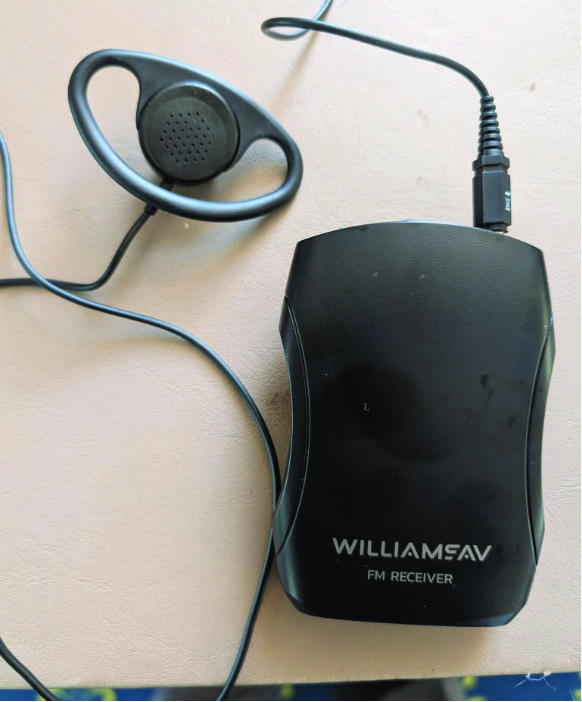
Bodypack with over-ear speaker
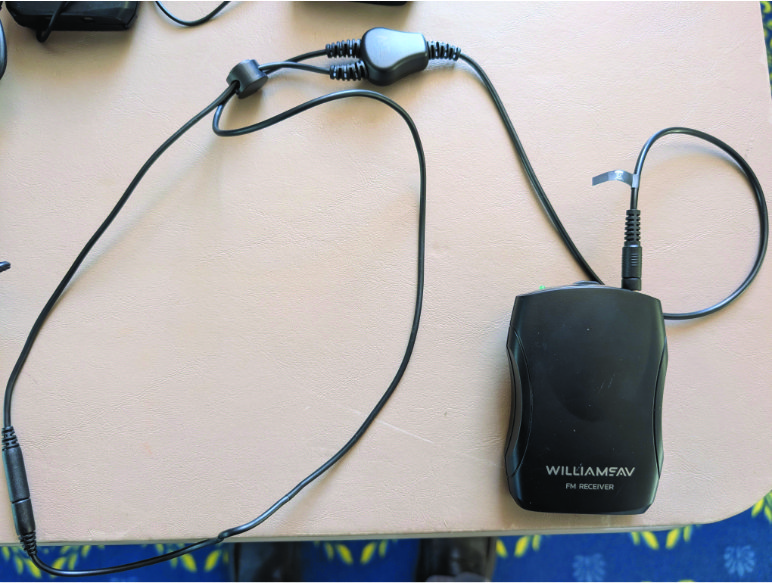
Bodypack with T-coil neck loop

Top view of bodypack showing power / volume control and LED power indicator
We have two types of earpieces, shown above; the over-ear speaker which can be placed on your ear, secured with the flexible loop over the top of your ear; and the t-coil loop which can be placed around your neck and will connect to hearing aids that are compatible with t-coil or telecoil systems (this might need to be enabled on your hearing aid device.)
Turn the receiver on by rotating the volume control; the green LED will light up. Adjust the volume to your liking. Turn the power off when returning the bodypack to the narthex.
Using the App
You can also connect to this system via WIFI using the WaveCAST app on android or ios devices. This will allow you to use your own earbuds to hear the audio in the sanctuary. You can download the app from either platform’s app store.
To use it:
- Install the app on your device
-

Scan to join WIFI in sanctuary
Connect to the Basking Ridge Pres Listen wifi network in the sanctuary. (Note: there is no internet connection on this network.)
- Open the app. Click on the Basking Ridge Listen icon
- Adjust the audio settings using your device. You can connect to your earpods using bluetooth, adjust the volume, etc.
